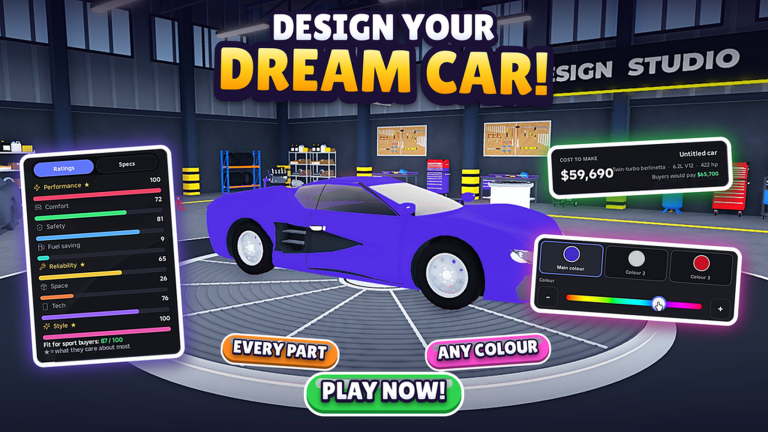
Running a successful automotive empire requires more than just a dream and a garage. In this Roblox experience, you take the reins of a growing business, managing the complexities of vehicle design and production. Every decision counts as you try to scale your operations from a humble startup into a powerhouse that dominates the competitive market.
As you progress, the grind focuses heavily on efficiency and capital. You will spend your time balancing production lines and optimizing your workflow to ensure your cars hit the streets faster than your rivals. Whether you are tweaking assembly processes or reinvesting earnings into better facilities, the core loop is all about expansion and refinement.
Resources are the lifeblood of your operation. Keeping a steady supply of assets allows you to upgrade your equipment and research new models without hitting the frustrating plateaus that stall most aspiring moguls. Strategic resource management is what separates a thriving factory from one that sits idle.
This is where codes become essential for your bottom line. By providing instant boosts or currency injections, these developer-issued rewards give you a much-needed head start or a helping hand when you need to bridge the gap toward a new milestone. They are the quickest way to bypass the slow crawl of early-game progression.
We maintain this list to ensure you never miss a chance to grab these assets. Since these bonuses are time-sensitive, we verify them regularly to keep the experience smooth and rewarding for your growth. Snagging these items early ensures your production line never stops moving.
Updated November 2026. The latest code provides a quick boost to your resources, helping you expand your company faster. Be sure to claim it before it expires.
All Build a Car Company Codes (November 2026)
Use the following code to secure your latest in-game rewards:
- VROOM
Expired Build a Car Company Codes
There are currently no expired codes for this title.
No expired codes yet.
How to Redeem Codes in Build a Car Company
- Launch the game through the Roblox platform.
- Look for the settings, shop, or a dedicated menu button, usually located on the side of your screen.
- Locate the text box labeled Enter Code or Promo Code.
- Input your chosen code exactly as it appears in our list.
- Click the claim or submit button to add the rewards to your account.
Why Your Code Isn’t Working
- Case Sensitivity: Codes are often case-sensitive, so verify your typing.
- Expiry: Codes are temporary and will eventually stop working.
- Redemption Limits: Many codes can only be used once per account.
- Copy-Paste Errors: Ensure you have not accidentally included a space before or after the code when pasting.
How to Get More Build a Car Company Codes
The best way to stay updated on new drops is to follow the developer’s official social media accounts or join their community server. Developers often post exclusive rewards there during events or after reaching player milestones. Bookmark this page and check back regularly as we update our tables whenever new codes are released.