
Car Park Capital gives you the flexibility to construct your own structures in the Scenario Editor, and the great news is you can also use these designs in your main city. The process is straightforward: just copy the saved .cpbp files into the game’s designated blueprint folders.
This feature allows you to utilize your favorite parking garages, office buildings, parks, and more without the need for any mods or extra programs. Just make sure to avoid overwriting existing blueprints when you’re organizing your files.
Before diving into the details, it’s essential to ensure you’re familiar with the Scenario Editor and have some ideas for structures you’d like to create. Trust me, it’s fun to see your designs come to life!
This method makes it easy to replicate your structures across your city, giving you control over design and layout. Just remember to name your blueprints clearly to avoid any confusion down the line.
How to Create Custom Blueprints in Car Park Capital
Start by launching the Scenario Editor where you’ll build the structure you’d like to use in your regular game.
- Start Car Park Capital and click New Game.
- Select Custom Scenarios.
- Choose Create Your Own Scenario.
- Select Start Scenario Editor and name your scenario.
- Use the provided tools to construct your desired structure.
After you’ve built your structure, you can save it as a blueprint.
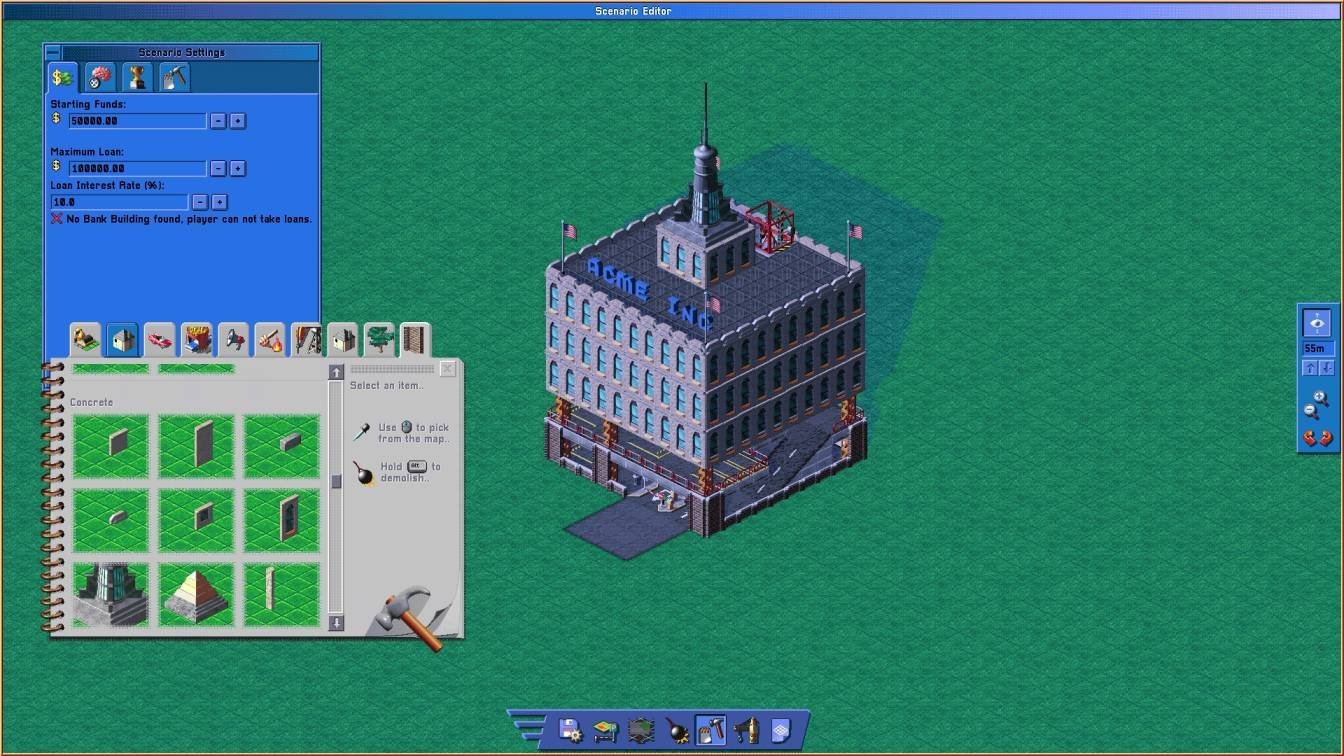
Save Your Building as a Blueprint
- Open Building Plans.
- Select Create.
- Choose the area where your structure is located.
- Enter a filename and hit save.
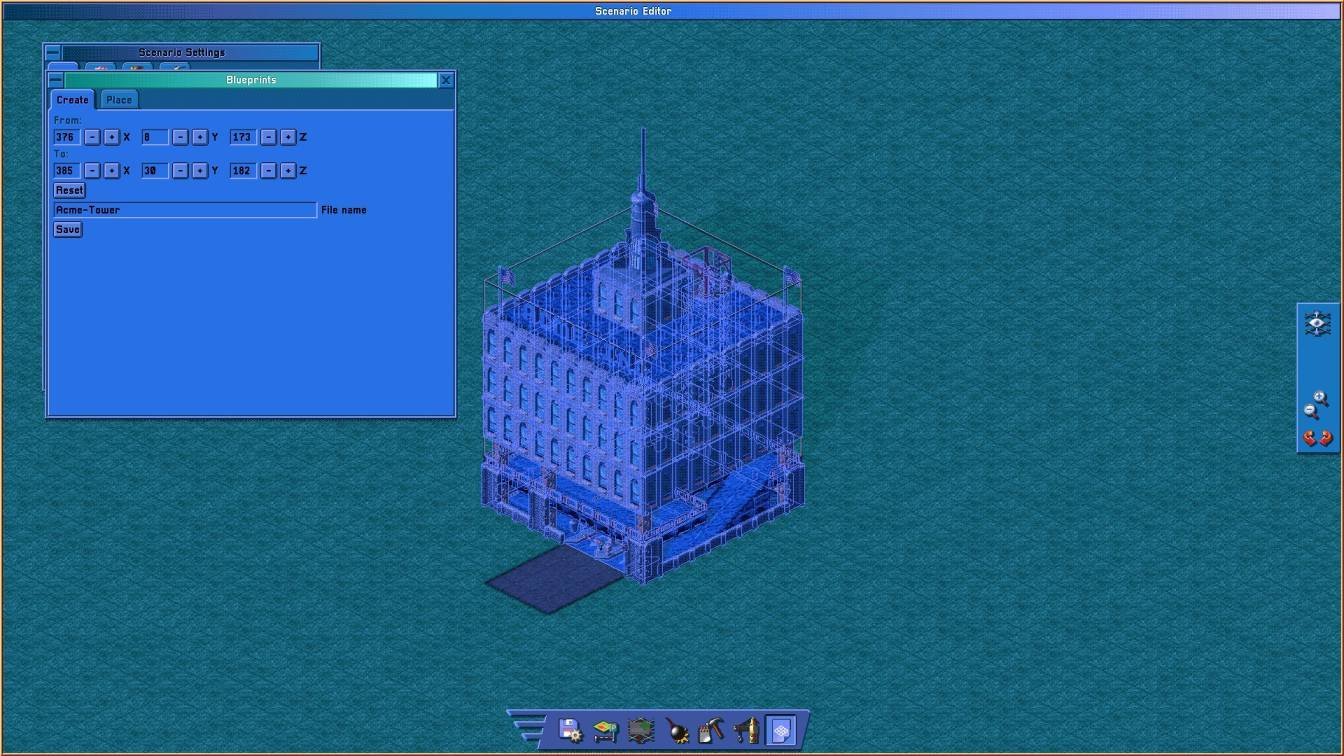
You can repeat these steps to create a variety of buildings, parks, or even complete building complexes. Just be sure to give each a unique name so you can easily identify them later!
It’s crucial to remember to save your scenario separately too. Saving a blueprint saves only that specific structure, while saving the entire scenario preserves your completed setup for future edits.
Select Save or Save and Go to Menu in the Scenario Editor to store your scenario.
Reopen a Saved Scenario
You don’t have to start a new scenario every time you want to create a fresh blueprint.
- Click New Game.
- Open Custom Scenarios.
- Select your saved scenario.
- Choose Open in Scenario Editor.
This way, you can continue to build and save additional structures as separate blueprints.
Find Your Saved Blueprint Files
After saving, you can find your blueprint file in the Car Park Capital installation folder.
Follow these steps to quickly navigate to the folder via Steam:
- Open your Steam Library.
- Right-click on Car Park Capital.
- Select Manage → Browse Local Files.
Once inside the installation folder, look for:
Car Park Capital\saves\blueprints
Your custom blueprints will be stored here as .cpbp files. For example, if you named a blueprint MyBuilding, it will be saved as MyBuilding.cpbp.
Make sure to keep these original files safe, as you’ll need to copy them to another folder to use them in your regular game.
Add Custom Blueprints to the Normal Game
Look for the following folder in your installation directory:
Car Park Capital\assets\blueprints
You’ll find several folders in here:
- small_parking_garages — For small parking garages.
- medium_parking_garages — For medium-sized parking garages.
- large_parking_garages — For large parking garages.
- scenario_editor — For Scenario Editor blueprints.
- small_parking_garages — For small parking garages.
- medium_parking_garages — For medium-sized parking garages.
- large_parking_garages — For large parking garages.
- scenario_editor — For Scenario Editor blueprints.
Copy Your Blueprint into an Existing Folder
- Return to Car Park Capital\saves\blueprints.
- Locate the .cpbp file you want to use.
- Copy it into one of the three parking garage folders found in assets\blueprints.
- Select a folder based on the size or category that best matches your structure.
For instance, you might copy your file to:
Car Park Capital\assets\blueprints\large_parking_garages\MyBuilding.cpbp
You can choose any of the three existing parking garage folders for your needs. Keeping your blueprints organized can save a headache when your collection grows.
Make sure to copy rather than move the file. This way, you retain the original blueprint in your saves folder for future use.
Place Custom Blueprints in Your City
After copying the necessary files, relaunch Car Park Capital so it can load your new blueprints.
- Load your usual city save.
- Navigate to Blueprints → Place.
- Select the category where you put your blueprint.
- Find and select your custom structure from the list.
- Place it where you want it in your city.
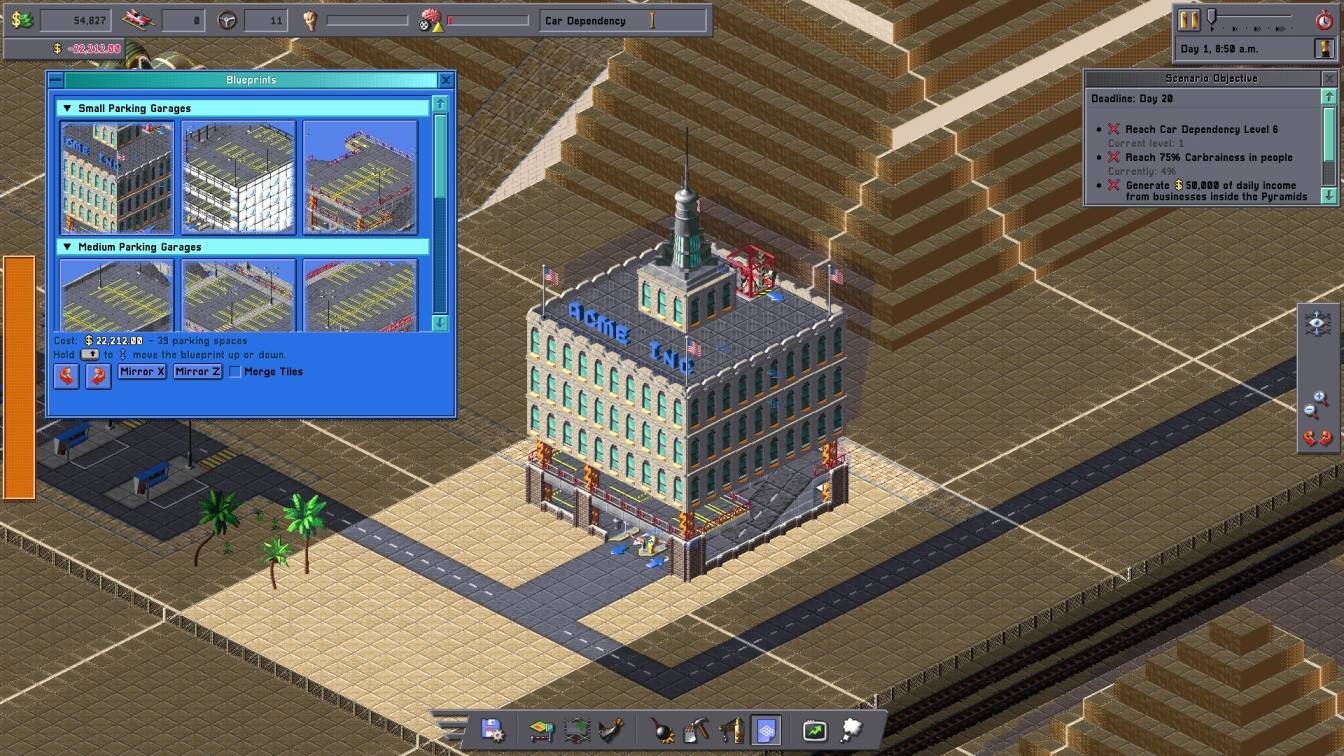
Your custom blueprint should now appear among the standard options, ready to be placed multiple times without needing to remake it.
Important Things to Know About Custom Blueprints
Can You Create Your Own Blueprint Categories?
Unfortunately, this method doesn’t allow for custom categories through new folders. Adding a subfolder to assets\blueprints won’t show it as a new category.
Stick to using one of the existing parking garage folders instead.
Do You Need to Create a New Scenario Every Time?
No, you can open a saved scenario using the Custom Scenarios option and pick up right where you left off. This lets you create and save additional blueprints without restarting.
Will Game Updates Delete Custom Blueprints?
There’s a chance they might. Your custom blueprints are stored in the assets directory, so game updates or Steam’s file verification may affect them.
To avoid losing your work, always keep backup copies of your .cpbp files saved outside the Car Park Capital installation folder.
Can You Use Buildings or Components You Haven’t Unlocked?
Interestingly, this method can allow you to build structures and components that aren’t usually accessible at your current progression. For example, creating a plastic tree factory blueprint might be possible before fully unlocking it.
Components like desks work effectively and can also impact parking pressures in the area.
However, keep in mind that this feature may not be intentional, and future updates could change this functionality.